

BIMTrace: Change Tracking for CDE-Based BIM Delivery
Real-time change tracking for collaborative Revit models. BIMTrace captures who changed what on every Central Sync and writes it into the team's CDE as a manager-facing record. A working build was delivered shortly after the field interview and put into active use by the BIM manager; it is now in formal build-out.
- Client
- Berger+Parkkinen Architekten
- Location
- Vienna, Austria
- Environment
- Revit · CDE (SharePoint)
- Status
- In progress
Context
Berger+Parkkinen Architekten is an award-winning Vienna practice delivering complex, BIM-based projects. Their BIM manager coordinates multiple modelers on a shared Revit model, with project information managed through the practice's Common Data Environment (CDE), where systematic oversight of model quality and delivery progress is essential.
The bottleneck
Revit Worksharing has no commit history. When something in the model breaks, there is no built-in way to see who changed what, or when. A single mis-edited view template can break dozens of sheets overnight, and finding the cause means hours of manual investigation across chat threads. Team review, in turn, rests on impression rather than an objective record. On large models these gaps surface late, compressing review cycles right before delivery milestones.
The goal
The manager needed an objective, low-friction record of model changes: automatic enough that modelers do nothing differently, yet structured enough to support day-to-day oversight and, over time, fair team evaluation. Any solution had to run inside Revit, keep project data private, and fit the CDE-based workflow the team already runs on OneDrive/SharePoint and Power BI.
Workflow & standards fit
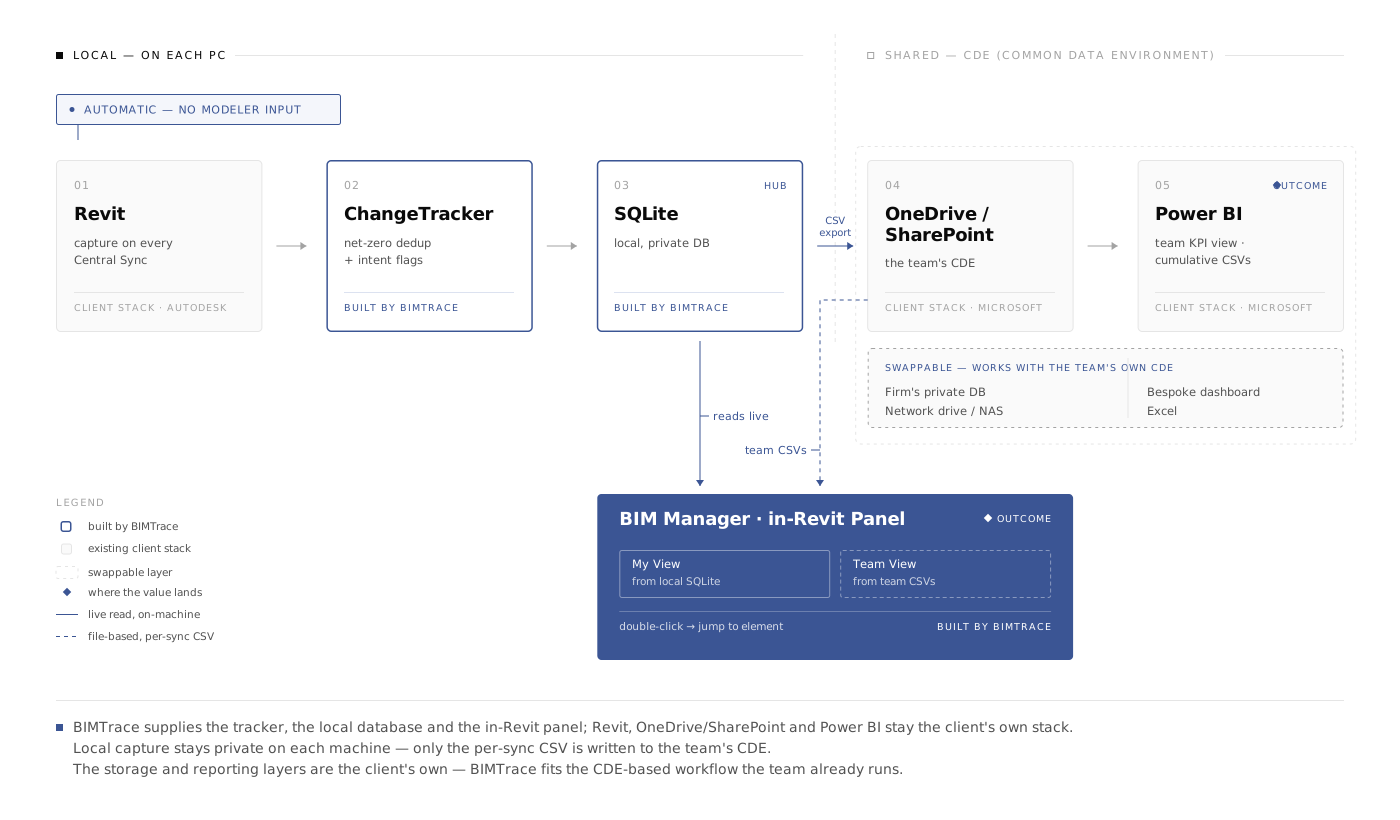
BIMTrace is designed to sit inside a CDE-based delivery workflow rather than replace it. Capture happens where the work happens (inside Revit, on each Central Sync), and the resulting record is written as a per-sync CSV into whatever the team already uses as its Common Data Environment: OneDrive/SharePoint here, a network drive, or the firm's own database. Because every entry carries author, timestamp, originating transaction and element-level detail, it supports the traceability and audit expectations that ISO 19650-aligned information management places on a delivery team. BIMTrace does not issue suitability codes or manage information-container states; it supplies the change-evidence layer beneath them.
What we built
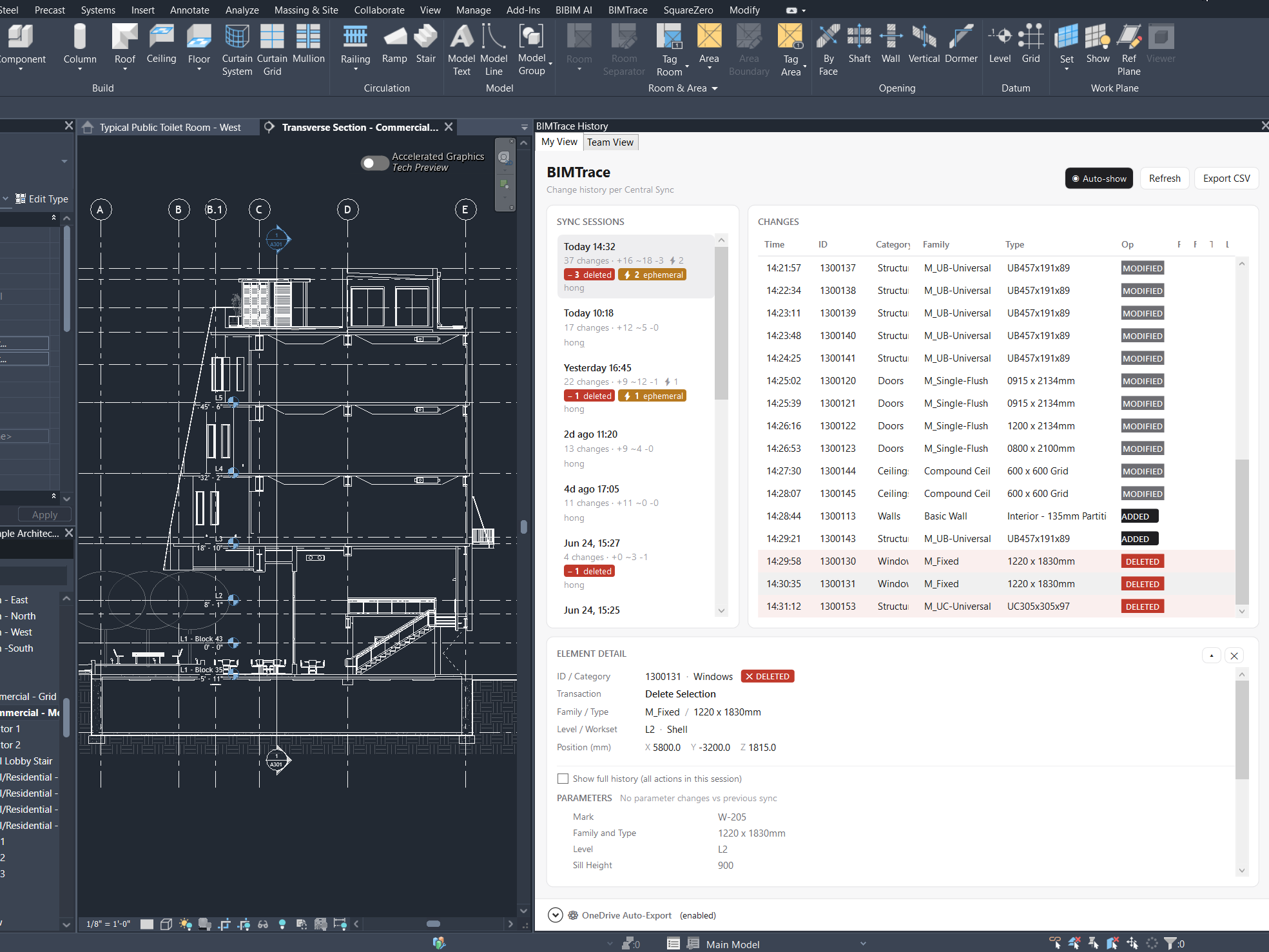
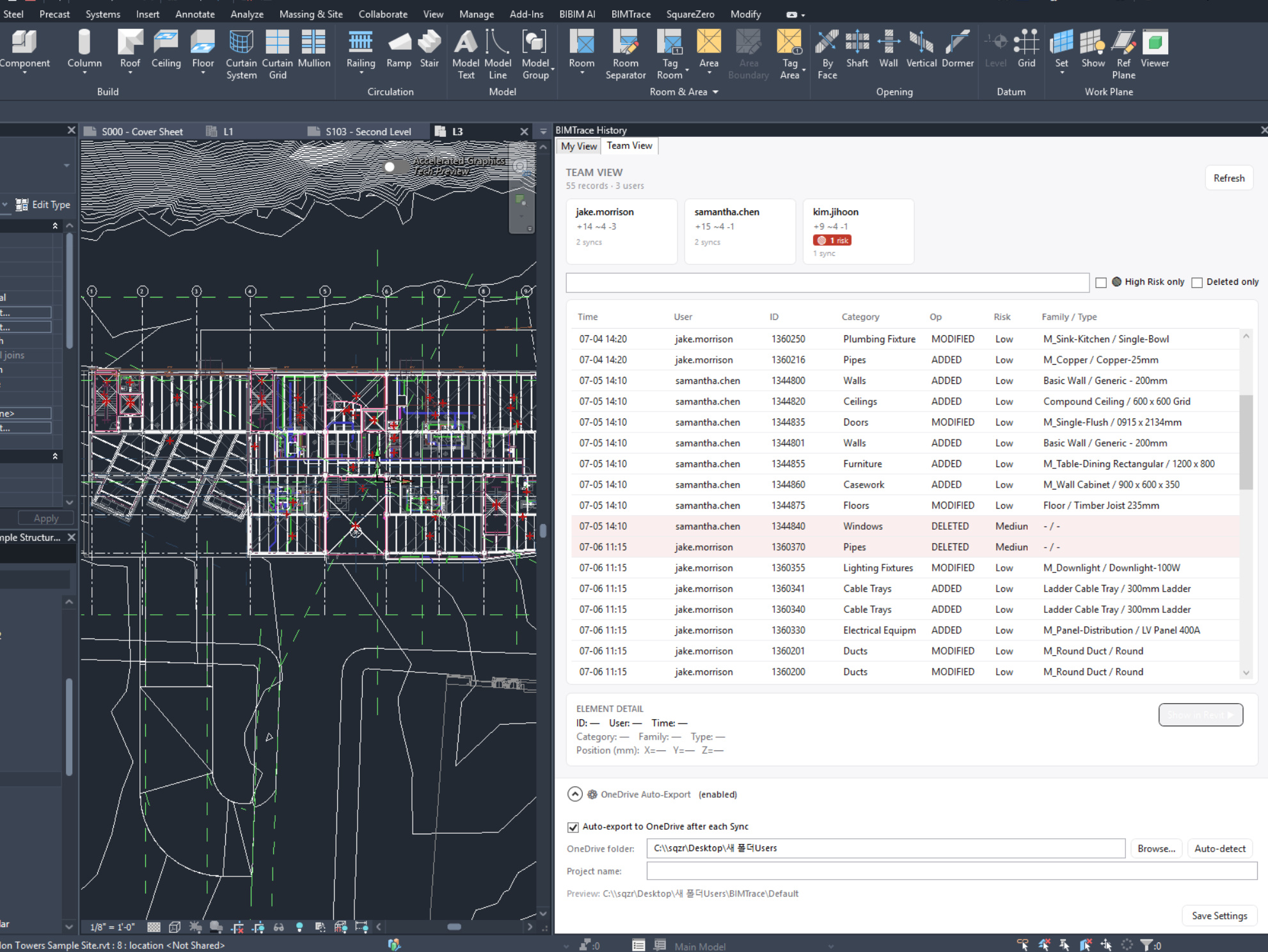
BIMTrace is a Revit add-in that records every element-level change on each Central Sync: additions, modifications and deletions, each with the modeler, timestamp, and originating transaction. It compresses noise (created-and-deleted-in-the-same-sync, undo/restore) so a manager reads intent, not raw event spam, and lets a manager double-click any change to jump straight to that element in the Revit view. A Team View aggregates every modeler's activity into per-person summary cards and a unified change list, and each sync auto-exports a CSV into the team's CDE (OneDrive/SharePoint here) that feeds a Power BI layer. Delivered as a signed installer supporting Revit 2024–2027.
Engagement
Outcome
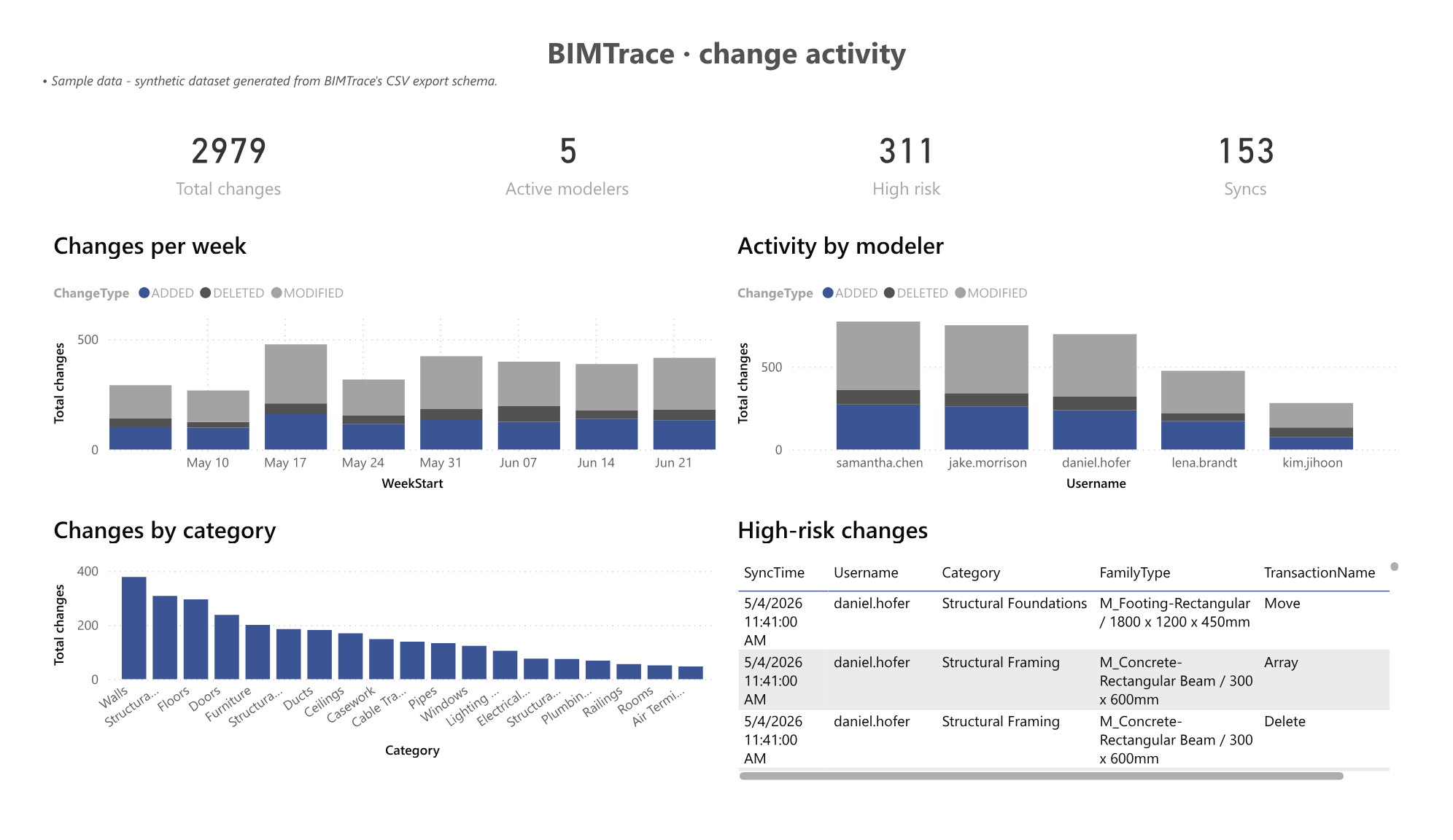
The working build is in active use by the BIM manager, who validated it against real project data. It is now feeding a Power BI KPI direction the team is exploring, and stands as a reference case for manager-centric tool design in AEC. Formal build-out continues with risk labeling, filtering, and per-project automation.
“The data comes out better than I expected. It's already good for keeping the team sharp. BIM managers are going to like this.”

Sojin Seong
BIM Manager, Berger+Parkkinen Architekten
Tech stack
Have a similar bottleneck?
We start with a field interview, define the pain point precisely, and get to a working build fast.
Talk to sales